/** Font types */

Posts Tagged ‘mini-album’

How To Make A Hardcover Mini Album With Plain Envelopes

Wednesday, May 18th, 2011

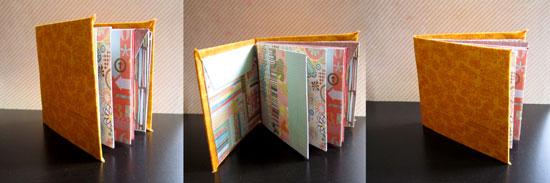
Hardcover Envelope Book

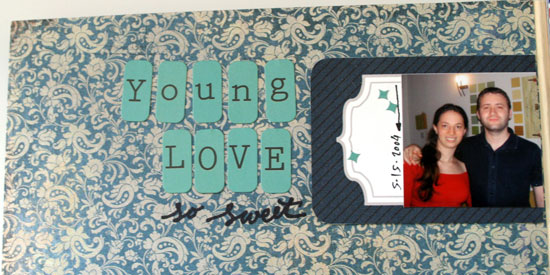
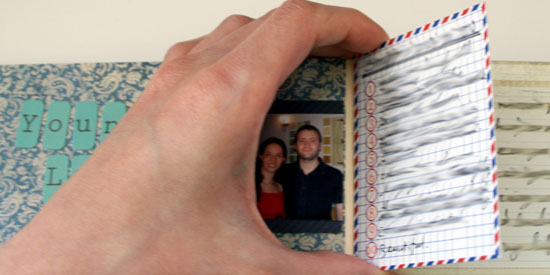
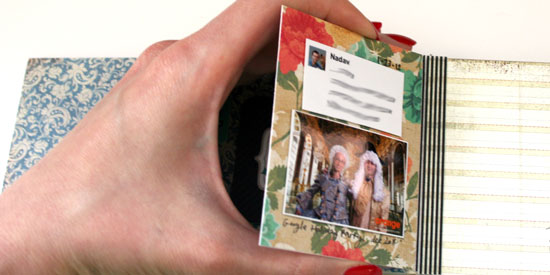
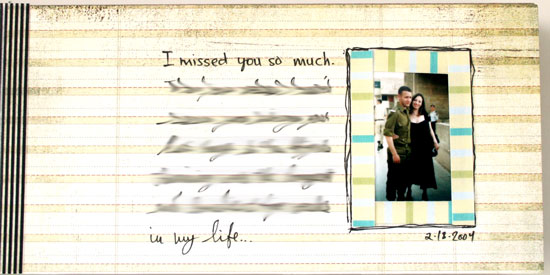
My husband thinks it’s silly but I think it’s super-duper cute, you’ll be the final judges…

Supply

Step by Step Instructions

Steps

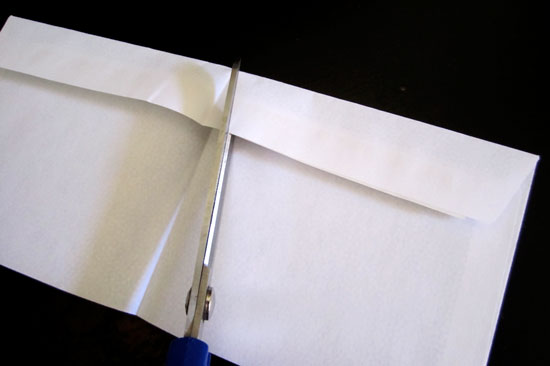
Start by folding each envelope in half and then cutting the edge of the envelope’s flap, in an angle, at the half point.
Steps

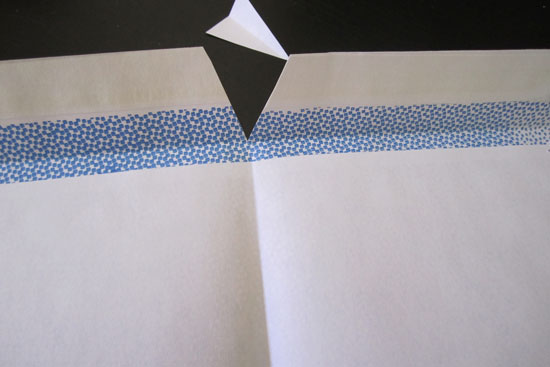
This is how your envelope will look like after its flap was cut.
Steps

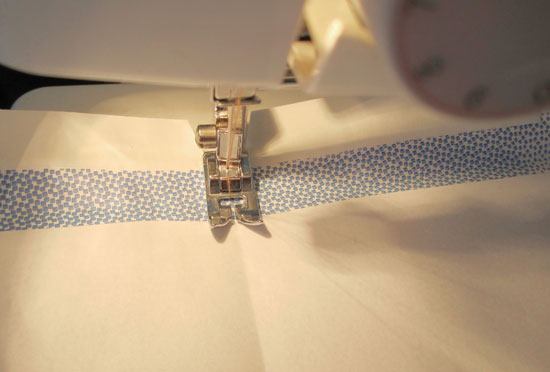
Next, channel your inner seamstress, stack all the envelopes together and sew the spine at the crease line. You can also pierce 2 holes in the spine and tie it by hand with an embroidery floss, or fasten it with a staple. Sewing is the fastest way to assemble the signature, even for me (you will understand that remark shortly).
Steps

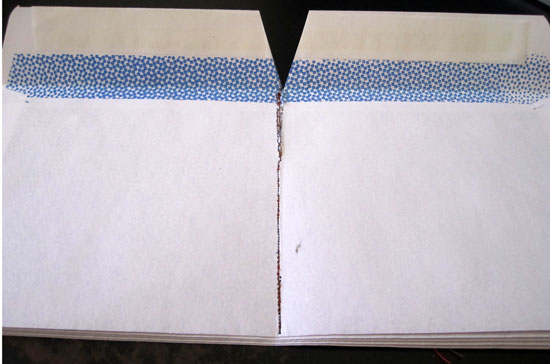
This is how your envelope stack will look like, if you are a terrible seamstress. Just like me. Who had to put it through the machine several times… I assume you may only be better than I am at that, because I am the worst, ever.
Steps

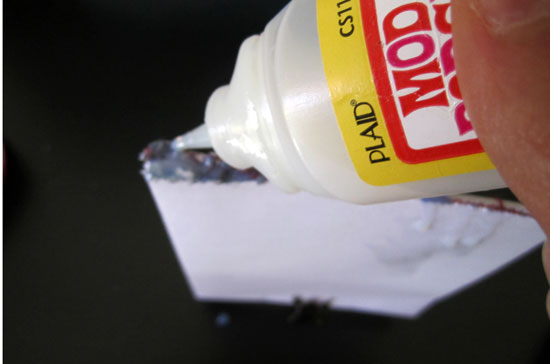
If you have sewing accidents… fix the spine with a layer of strong liquid glue.
Steps

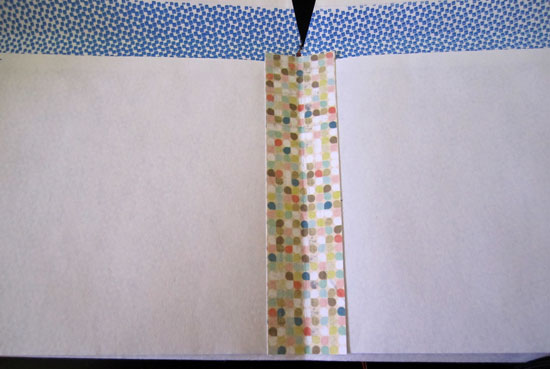
Or just secure the pages with a folded piece of patterned paper that you adhere to both pages’ edges.
Steps

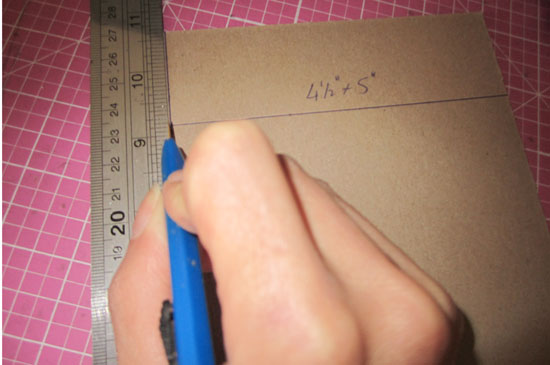
Now let’s move on to the cover, shall we? Given that you use business envelopes, cut 2 pieces of chipboard at 4½” by 5″ each. If you use any other envelope, just cut the cover a bit larger than the size of half an envelope (because they will be folded in half).
Steps

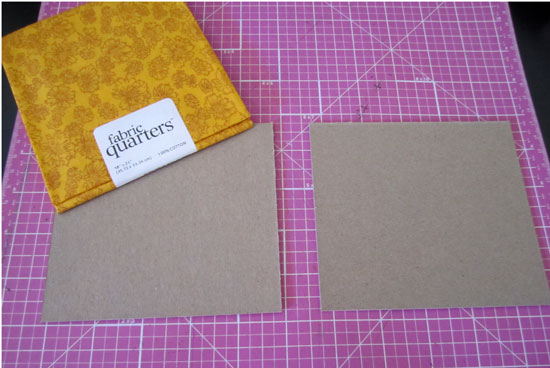
Then Choose your cover fabric. I had this fat quarter collecting dust and just waiting for this project. So I used it. Use any scrap that covers both pieces of chipboard, a spine and then some.
Steps

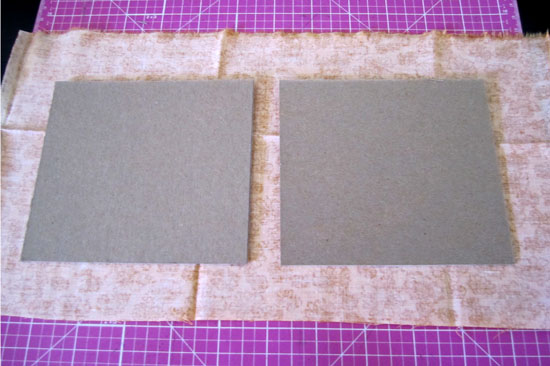
This is the ratio of fabric/ cover. Just so you will get the hang of it. Cut each edge at a triangle and adhere the flaps to the inner part of the cover with strong liquid glue. You can be messy, it will all be concealed momentarily.
Steps

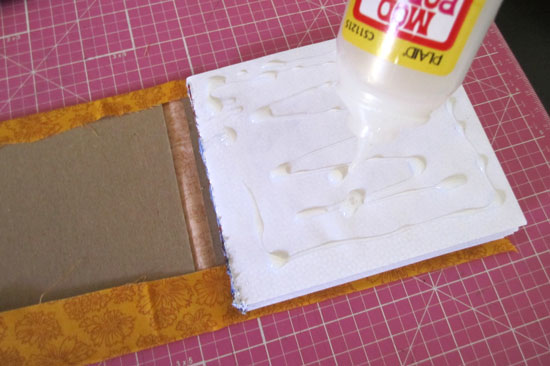
Now, attach your sewed signature by applying a generous amount of liquid glue and adhering to the inner part of the cover. Do it one side at a time and be careful of unwanted spills that may ruin your envelope pockets. Because we use envelopes to embrace and utilize their pockets, right? right.

Embellish and place top secrets and cherished memories in the pockets.

Done.

[Are you still with me or were you lost due to the length of this unearthly post? Please comment and tell.]


Make Your Own Planner Workshop
Check out Creativity Prompt’s self paced workshop: “Capture Your Dream”. In this workshop you will capture, follow and make your dream come true as well as document your journey in a fabulous mixed media mini album.


Welcome Little One Workshop
Check out Creativity Prompt’s new and unique self paced workshop: “Welcome Little One”. This workshop will provide you with everything you need, and then some, to make a fabulous handmade mini album to record the first moments of a new born baby.


The Bare Bones Of A Travel Journal

Wednesday, November 17th, 2010

Today I just wanted to share my on-the-go travel journal for my next vacation in Hawaii.

The idea and the reason it came about were easier for me to explain on video, so here it is:

[Go here to watch on YouTube and while there, please rate, comment and subscribe.]

Feel free to download the travel journal page as well as the back page for your own personal use and enjoyment. [To download right-click on each link and opt for the "save target as" option.]

[P.S. You can find the flat package of mini glue dots here]

Share

Are you planing on going somewhere special soon? Do you travel for the holidays? How do you collect your travel memories?


Make Your Own Planner 2012
Check out Creativity Prompt’s new and unique self paced workshop: “Make Your Own Planner”.
This workshop will show you how to make a beautiful handmade planner for the year 2012. Not only are you going to get the entire meticulously designed planner kit for instant download, but you will also get a high resolution video tutorial as well as step-by-step instructions to guide you on each step of the way. Either treat yourself with a fresh and creative start for the coming new year, or get it to create wonderful gifts for your family and friends.
Join now


Free Workshop – Giving Thanks Journal

Tuesday, November 2nd, 2010

Thanksgiving Journal

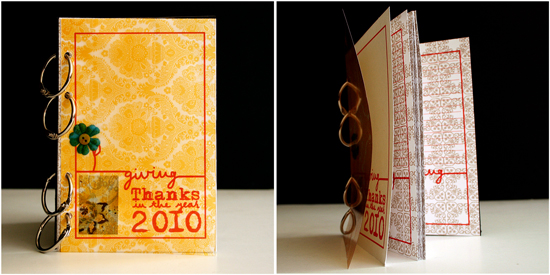
Thanksgiving Day is quickly approaching and I thought that a great way to give thanks is to collect all the things and all the people we are grateful for and write about them in a mini journal.

This Giving Thanks journal is what I came up with. It is 4″ by 6″ so it fits perfectly with 4″ by 6″ standard size photos and therefore quick and easy to put together.

I made the journal kit for you and created a video showing you how to put the journal together – in REAL TIME. You wouldn’t believe how easy it is to make.

Feel free to use it as many times you need, for personal use only and don’t forget to link back here, if you show your project online :)

The Journal Kit

To download each of the journal pages – right click on the link below and opt for “save target as”:

  1. Cover page. [Print once on 4" by 6" piece of cardstock]
  2. Insert page. [Print as many time as you want, on 4" by 6" paper. You can also use the backside of your photos to print on]

Supply

  • Cardstock – to print the journal pages on. You can also use patterned paper or the back side of your photos for the inner pages. Each sheet of 12″ by 12″ patterned paper yields 6 pieces of 4″ by 6″ paper.
  • Cover pieces – I used 4″ by 6″ transparency and 4″ by 6″ piece of chipboard.
  • Hole punch
  • Small binding rings (or ribbon, twine, etc.)
  • Pencil

How To


[Go here to watch on YouTube and while there, please rate, comment and subscribe.]

Step by Step Instructions

  1. Print the journal pages. You need 1 cover page and as many inserts as you please. It is simpler to first cut all the pages to 4″ by 6″ and then use them with your printer, the same way you would use photo paper.
  2. Punch all the punching holes by aligning the black punching marks with your hole punch. Make sure both the mark and the hole punched are centered together – then punch.
  3. To punch the chipboard piece (and your insert photos) align any of the punched pages with the chipboard piece and mark all the holes with a pencil. Then repeat the previous step with the chipboard.
  4. Put together all your pages and bind with the binding rings.

Share

What are you thankful for this year?

If you enjoyed this workshop you would probably enjoy the more elaborate “print and assemble” workshops by creativity prompt.

Try “Welcome Little One” if you are expecting a new baby to enter your life or the life of a loved one and “Make Your Own Planner 2012” to create your very own industrial chic planner.


How To Make A Recycled Lunch Bags Mini Album

Thursday, September 30th, 2010

Lunch Bags Mini Album

It didn’t take me long to come up with another carfty recycling project. After all, making mini books and albums is much more fun then carrying all the empty boxes that arrive each week from Amazon to the recycling bin, isn’t it? (I refuse to admit I have an ACOD – ‘Amazon Compulsive Ordering Disorder’… Plus one of them boxes must be my husband’s me thinks.)

Anyway…

Here is another recycling project I share with you, in which I transform 5 small lunch bags and a small box into a super cute shabby mini album with room for memorabilia, ephemera, photos, hidden journaling and what not.

Supply

How-To


[Go here to watch on YouTube and while there, please rate, comment and subscribe.]

Step-By-Step Instructions

  1. Adhere the flap of the lunch bag, inwards, by applying adhesive just to the edges of the flap, so you create a small pocket. Fold in half and repeat with all the bags.
  2. Measure the height and width of the folded bag and cut the cover pieces to the same size out of the box, using a sharp craft knife. Don’t apply pressure on the knife, just use shallow back and forth movements with the knife until the cardboard is separated.
  3. Cover the cover pieces with patterned paper – start by applying a thin but thorough layer of Mod Podge with a foam brush. Adhere the paper onto the cardboard. Flip the piece and cut off the excess paper by using the edges of the cardboard as a straight edge for your craft knife. Lastly, apply a thick layer of Mod Podge to seal it off. Repeat on both sides of both cover pieces.
  4. Cover the inside pages of the lunch bag signatures with patterned paper, make sure you keep the flap pockets opened.
  5. Measure 1 inch above and below the center point of the edge of the cover and mark it. Punch holes through these tick marks and repeat on all pages and the back cover.

Lunch bags mini album preview

Share

If you have any question, suggestion or remark – don’t hesitate to contact me – either leave a comment here, use the contact form or start a new thread on the Creativity Prompt Flickr Group!!!
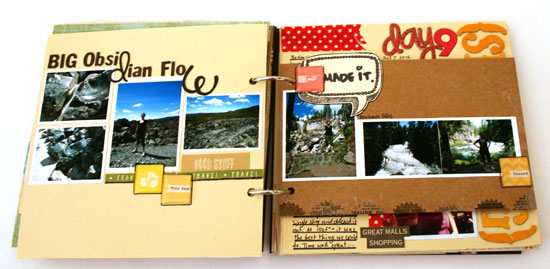
I would also be very happy to see your own creations, so don’t be shy and share :)


Make Your Own Planner 2012
Check out Creativity Prompt’s new and unique self paced workshop: “Make Your Own Planner”.
This workshop will show you how to make a beautiful handmade planner for the year 2012. Not only are you going to get the entire meticulously designed planner kit for instant download, but you will also get a high resolution video tutorial as well as step-by-step instructions to guide you on each step of the way. Either treat yourself with a fresh and creative start for the coming new year, or get it to create wonderful gifts for your family and friends.
Join now


Hybrid Mini Album – Step By Step

Monday, September 6th, 2010

Hybrid Mini Album - Collage

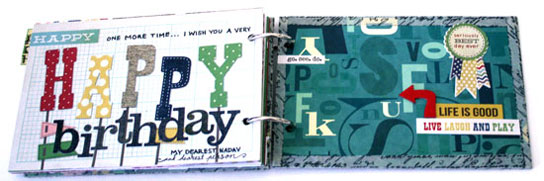
On Friday my husband turned thirty.
My beautiful, wonderful, perfect husband has joined the thirty something group and I will join him in October.

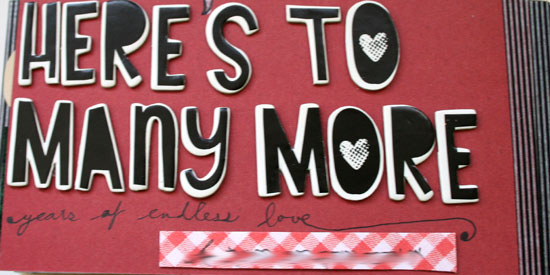
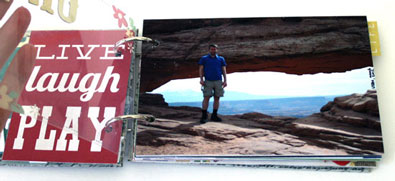
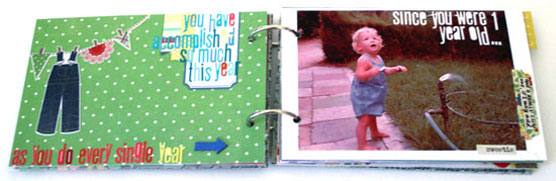
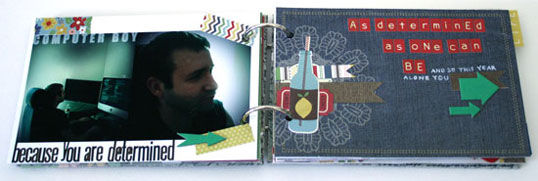
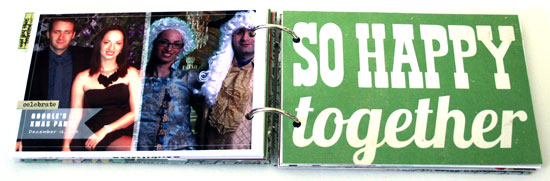
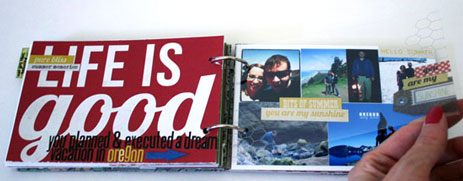
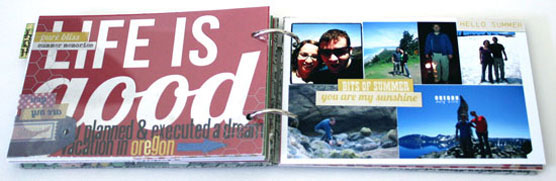
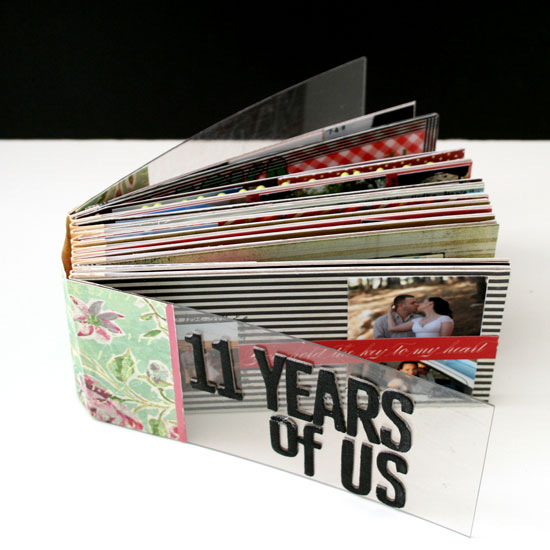
I wanted to make a book telling him how awesome he is while incorporating photos from the last year in our life (and one from 29 years ago…)

The easiest way for me to go about it was to make a hybrid mini album.

A hybrid is an album created partly digitally on the computer and partly traditionally with papers, adhesive and other scrapbooking goodies.

I created all the photo collages and titles for the album with Adobe’s Photoshop Elements 8.0 and the rest by hand, here is how I went about it:

Supply

In this album I was using a ton of different products I have had piled up in my office, so I will not tire you with the complete list. I will only highlight some of the main products I was using and loving.

Step By Step Instructions


Digital Part

  1. Open a letter size file with 300 DPI resolution.
  2. Use the rectangle shape tool to draw a 6 by 6 square in the middle of your page – that will be your page base. Choose a very faint color for the square, to save ink later…
  3. Create your design only on the 6″ by 6″ area. (I only used fonts, “Impact” in particular.)
  4. To print your design, click on the eye icon next to the layers with your page design, that will conceal everything but the 6 by 6 square.
  5. Print your page on plain copy paper. It will be used as your positioning guide later.
  6. Now conceal the square by clicking on the eye icon and reveal your design again.
  7. Adhere a 6″ by 6″ piece of cardstock to the printed rectangle on your copy paper. Use temporary adhesive to make its removal easier.
  8. Put your copy paper through your printer again, with the cardstock attached to it.
  9. Print your page design.
  10. Repeat. (You don’t have to print the positioning guide again if you don’t move the square on your screen.)

  11. For the photos I just cropped each photo individually to the size I wanted it and layered all the photos on a letter size document I then printed on photo paper.
  12. raw materials

Traditional Part

  1. Crop all your photos.
  2. Design your pages, add letter stickers to add texture to the rather flat printed titles.
  3. You may also use the free journaling tags you can find here, on Creativity Prompt. They will help you add your journaling in an easy and polished way.
  4. After you finished all the pages design, gather all the pages in the order you want them to be and make sure no page is rotated.
  5. I also added two 6″ by 6″ acetate pages to protect the front and back cover pages.
  6. Use the crop-a-dile to punch holes for the book rings. Punch them at 1″, 3″ and 5″, about ½” from the edge.

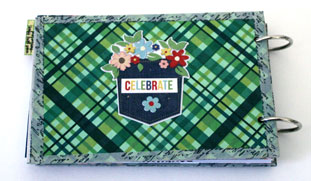
Photos of the Finished Mini Album

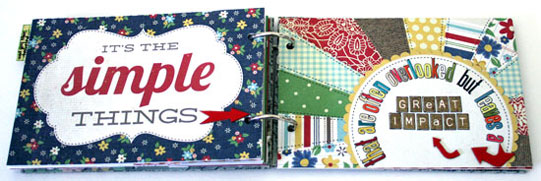
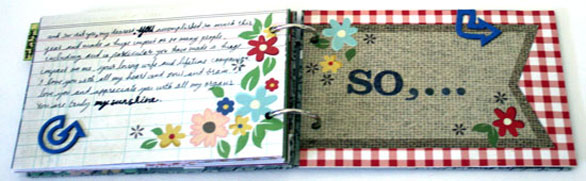
Hybrid Mini Album Pages

Hybrid Mini Album Pages

Hybrid Mini Album Pages

Hybrid Mini Album Pages

Hybrid Mini Album Pages

Hybrid Mini Album Pages

Hybrid Mini Album Pages

Hybrid Mini Album Pages

Hybrid Mini Album Pages

Hybrid Mini Album Pages

Hybrid Mini Album Pages

Share

Do you use the computer to add titles or other elements to your scrapbook pages? Please share by leaving a comment here.

Welcome Little One Workshop
Check out Creativity Prompt’s new and unique self paced workshop: “Welcome Little One”. This workshop will provide you with everything you need, and then some, to make a fabulous handmade mini album to record the first moments of a new born baby.


Monika Wright – Reader Highlight

Monday, August 16th, 2010

Every Friday (almost…) I put up a set of free printable labels for you guys and I always ask what are you planning to do with those journaling labels.

I always enjoy reading all the creative ideas you share with me on what to do with those labels.

However, what I enjoy the most is seeing projects you’ve made with my labels or based on my tutorials or workshops. Those e-mails or comments really warm up my heart.

A few days ago I got an e-mail from one of my readers, Monika Wright, who has recently discovered my blog through Celeste Smith’s blog. Monika sent me a link to an album she made, using my labels (among many others).

mini album

mini album

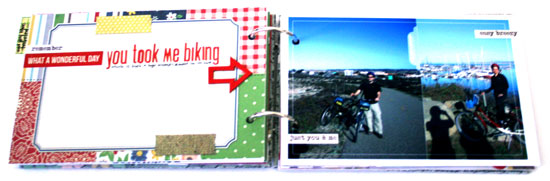
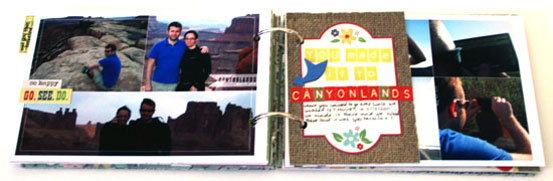
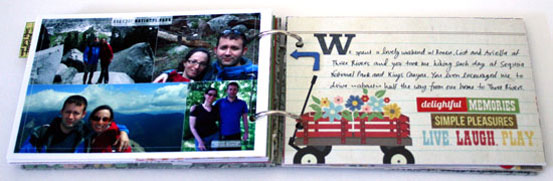
Monika is amazingly talented and super creative. I love her blog and I am totally in love with the mini album Monika made. Isn’t she amazing???

Share

Please share any project you’ve made with my journaling labels by leaving a link to your relevant blog post or gallery page as a comment.


Welcome Little One Workshop
Check out Creativity Prompt’s new and unique self paced workshop: “Welcome Little One”. This workshop will provide you with everything you need, and then some, to make a fabulous handmade mini album to record the first moments of a new born baby.


New Workshop – Welcome Little One

Tuesday, August 3rd, 2010

Workshop - Welcome Little One

I am super excited to announce the launching of a new unique workshop by Creativity Prompt.

Whether you are expecting a new baby soon, you have just had a new baby or you want to give a special gift to a new mom, “Welcome Little One” is exactly what you are looking for.

This workshop offers a quick and easy way for the busy new mom to put together a gorgeous mini album to capture and record the first moments of the precious new born child.

The workshop is unique by providing pre-designed pages with journaling prompts, all sized to the standard 4″ by 6″, so that all you have to do is to print the pages, add the photos and tell the stories.

All the guess work is left for the upbringing of the child, none for the child’s very first mini album.

In addition, by providing all the patterned papers and titles in the pre-designed pages, the workshop is also reducing the supply list down to the absolute minimum necessary.

In fact, chances are that you already have all the supply at home, especially if you like recycling old boxes for their chipboard and old clothing for their fabric. Thus, basically the cost of this mini album is limited to the cost of the workshop and prints. Thats it!

Not only that, but the workshop also provides a set of digital frames you may use on your digital pages, lay over photos or print on your own patterned papers or cardstock, in case you prefer your creative freedom over pre made templates.

Furthermore, as the workshop kit is digital, you may use it over and over again for the same low price.


The Workshop Includes:

  1. A pdf file with clear and concise step by step instructions, supported by color photos and supply list.
  2. 10 jpeg files with pre-designed pages – to be printed at home or online.
  3. 10 png files with digital frames, you may use with your photo editing software.
  4. An embroidery guide for the cover of your mini album (Plus instructions on how to make your own embroidered title guide).

Details

    Type: Self paced, downloadable workshop.
    Format: PDF, JPEG, PNG
    Price: $12.00
    Skill level: All levels.
    Software requirements: None. If you wish to use the digital frames you will need a photo editing software such as Photoshop or Photoshop Elements, but it is only optional.

How Does The Workshop Works?

  1. Immediately after the purchase you will be asked to confirm your membership, simply follow the instructions you will get on your e-mail.
  2. After the successful registration you will get instant access to all the workshop files with simple downloading instructions.


If you have any question, please leave a comment here or contact me via e-mail.

Creativity Prompt – Make a Hybrid Board Book

Friday, November 13th, 2009

Hybrid Board BookThis time I revisit an oldie, but a goodie – the altered board book.

This week there is a twist – I am going hybrid.

That means that part of the book is designed digitally and part of it – traditionally. Together it’s a great mix of new & old.

Using digital elements, such as patterned papers, word art and other digital embellishments helps in keeping a theme and a color scheme for the book. If you want to make this book as a gift, in multiples, then starting on your computer also allows you to include all your journaling on the pages and then printing them either once or a million times, with no extra effort.

Cool, huh?

Tools & Supply

How To


[Watch on You Tube]

Step-by-Step Instructions

  1. Start this project on the computer. Open your photo editing software and either crop or resize the digital patterned papers to the same width and height of your board book.

    Don’t forget to count the spine while making the pages for the cover, leave a gap the same width as your spine between them.
  2. Print your pages on cardstock. Plain paper won’t be opaque over the altered pages of the board book.

    Use the borderless printing setting, otherwise the printer will scale down your images to allow a white border around them and it’ll distort your measurement.
  3. Start working on the cover – trim off the excess paper and score your spine’s fold lines to get crisp creases. You may also go over the folds again with the bone folder, for an even crisper look.
  4. Adhere the cover by applying a generous layer of glue stick on the board book cover and burnish with a brayer. Let dry.
  5. In the meantime, start cutting the pages and your photos and any other digital element you have printed (word art, embellishments, journaling tags, etc.)
  6. Once the glue has dried, turn your page around and cut off the excess with a very sharp craft knife. If you get uneven edges, you can file them down with sand paper.
  7. Repeat the same process with the rest of the pages: adhere, go over it with a brayer, let dry and trim off the excess.

    Make sure you trim off the edges of a page before adhering the printed cardstock to the other side.
  8. Some ideas for embellishing your mini altered book:

    • Adhere your titles with foam pop-dots to give some extra dimension.
    • Stick to one type of embellishment (buttons in my case) to maintain cohesion.
    • Use different sizes of pen tips to create interesting handmade word art.
    • Outline your pictures, letter stickers and other elements with your journaling pen to anchor them to the page and add dimension.
    • Using 3D embellishments can make dents in your photos, so make sure both pages have the same “elevation” so the elements won’t touch the pictures themselves.
    • Have fun!!!

Hybrid Board BookHybrid Board BookHybrid Board BookHybrid Board Book

Hybrid Board BookHybrid Board BookHybrid Board Book

Share

If you have any question, suggestion or remark – don’t hesitate to contact me – either leave a comment here, use the contact form or start a new thread on the Creativity Prompt Flickr Group!!!

I would also be very happy to see your own creations, so don’t be shy and share :)


Make Your Own Planner Workshop
Check out the new “Make Your Own Planner” workshop and you may solve this year’s holiday gift shopping problem. An affordable workshop that keeps on giving…


Creativity Prompt – How To: Envelopes Mini Album

Friday, October 16th, 2009

Envelopes Mini Album

This week’s project is also quick and easy to put together. You decide how much time you want to spend embellishing each page later on…

All you need is a bunch of envelopes, 2 pieces of chipboard and a long piece of ribbon. Pretty straightforward.

You can take your time and decorate each page individually, or just adhere a photo on the back of each envelope and insert your journaling in each corresponding envelope. The sky is the limit for you.

Tools & Supply

How To


Watch on You Tube
[Music by Kevin MacLeod with permission]

Step By Step Instructions

  1. Cut 2 pieces of chipboard – ½” taller and wider than your envelopes.
  2. Stick a strong double sided tape at the center of each chipboard piece. You can use the markings of your cutting mat for easy alignment.
  3. Adhere your ribbon to both pieces of chipboard, while leaving a ½” gap between them.
  4. Adhere each envelope to the next at the base with plain packaging/wrapping tape. Make sure you keep the orientation of the envelopes.
  5. Cut the excess tape off the sides of the envelopes stack.
  6. Adhere the envelopes stack to the chipboard with some more strong double sided tape.
  7. Cut the envelope inserts out of cardstock. Make them ½” shorter and narrower than your envelopes.
  8. Insert a piece of cardstock into each envelope.
  9. Embellish and… Voilà!


Envelopes Mini AlbumEnvelopes Mini AlbumEnvelopes Mini Album

Envelopes Mini AlbumEnvelopes Mini AlbumEnvelopes Mini Album

Envelopes Mini AlbumEnvelopes Mini AlbumEnvelopes Mini Album

Envelopes Mini AlbumEnvelopes Mini AlbumEnvelopes Mini Album


Share

If you have any question, suggestion or remark – don’t hesitate to contact me – either leave a comment here, use the contact form or start a new thread on the Creativity Prompt Flickr Group!!!

I would also be very happy to see your own creations, so don’t be shy and share :)

Creativity Prompt – Make A SIMPLE Fabric Covered Mini Album

Friday, October 9th, 2009

A SIMPLE Fabric Covered Mini AlbumFor this week’s project you don’t even need cardstock. It’s as simple and easy as it gets…

All you need is a batch of 4″ by 6″ photos, a 5″ by 6″ piece of chipboard and a fabric scrap.

Is that all? Yes. That. Is. All.

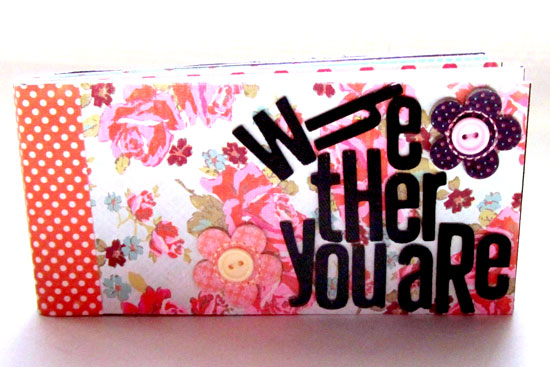
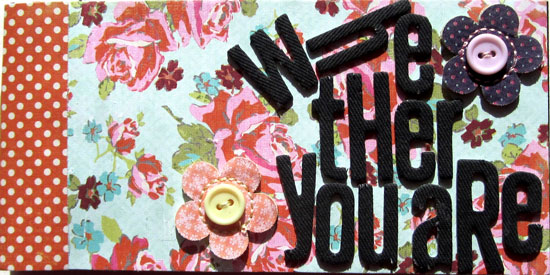
In my album I gathered pictures from 5 different apartments my husband has lived at (in 5 different continents). There is one common denominator in each photo – my husband is completely absorbed in his computer. I named the mini album: “Nadav’s Playground”…

If you have a few photos that tell a story and you wish to compile them in this cute album you can carry around or gift to a dear one, than read on.

Tools & Supply

How To


Watch on You Tube [Music is by Josh Woodward with permission]

Step By Step Instructions

  1. Cut 2 pieces of chipboard at 2½” by 6″ each.
  2. Fold each photo in half lengthwise (into 2″ by 6″).
  3. Adhere half of each photo to the next with glue stick – back to back – to create a photo booklet. Go over it with a brayer to eliminate air bubbles or glue bumps.
  4. Lay your chipboard pieces over the left side of the fabric scrap. Leave a gap between the 2 chipboard pieces. The gap should be as thick as the booklet’s spine.
  5. Adhere the chipboard to the fabric with glue stick as laid before.
  6. Trim off the excess fabric. Leave a 2″ edge all around the chipboard pieces.
  7. Cut the corners of the fabric, but leave a small gap for a neat fold later.
  8. Adhere the fabric flaps to the chipboard with glue stick. Use a brayer to ensure the adhesion.
  9. Adhere the booklet to the cover with glue stick.
  10. Embellish! (Although the American Crafts letter stickers are self adhered, I added a dab of strong liquid glue to make sure they stay put. TIP - I ran out of some of the letters so I switched on my creative half. The ‘N’ is actually a trimmed ‘M’ and one of the ‘A’s is an ‘at’ sign – which goes well with the computers theme.)


A SIMPLE Fabric Covered Mini AlbumA SIMPLE Fabric Covered Mini Album

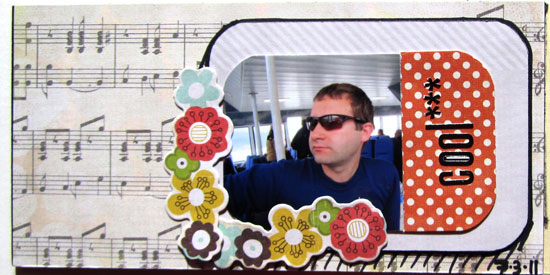
I want to share with you one of my favorite pictures from this mini album. It was taken here at our apartment in California. Note the pasta on his lap and the computer on the dinner table…

My husband's passion for anything computer-wise

Isn’t that a memory to cherish?

Share

If you have any question, suggestion or remark – don’t hesitate to contact me – either leave a comment here, use the contact form or start a new thread on the Creativity Prompt Flickr Group!!!

I would also be very happy to see your own creations, so don’t be shy and share :)